Black Friday is on November 27, 2026. That’s 8 days from today. If your Demand Gen campaigns are still running the same setup they had in October, you have a week to change that, and Google just handed you a list of things to change.
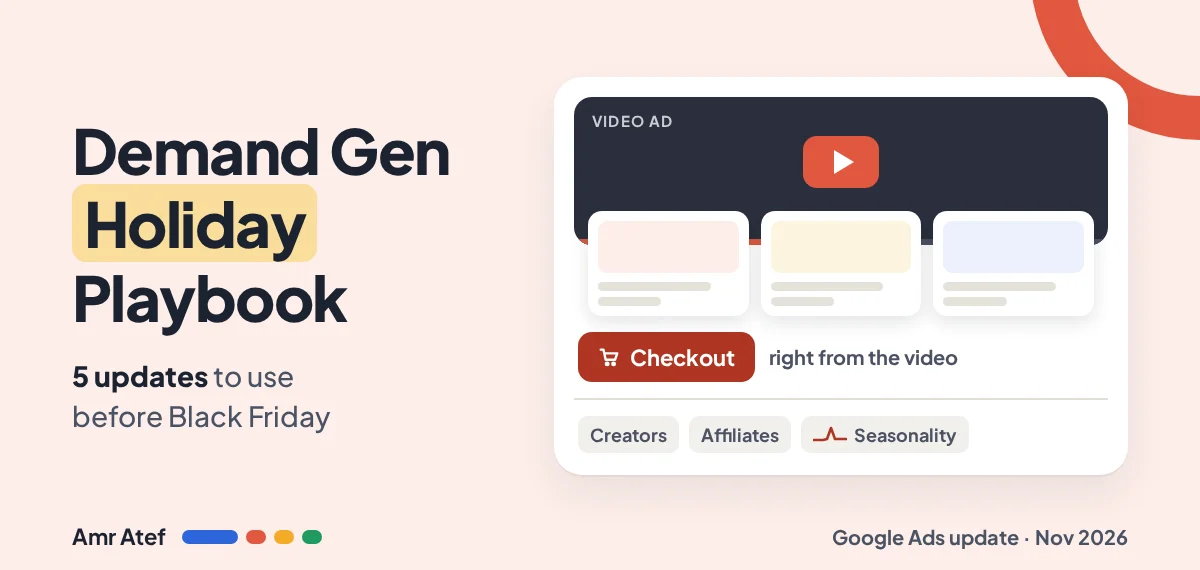
On November 18, 2026, Google published its November Demand Gen Drop: five updates aimed at turning YouTube ads into something closer to a shop. Not all five are worth your time before November 27. Here’s what each one does, who it’s for, and what I’d actually turn on before the holiday rush.
Quick answer: Google’s November Demand Gen Drop covers product feeds on YouTube, checkout links and UCP checkout, Creator partnerships boost, affiliate partnerships boost, and Seasonality Adjustments for Smart Bidding. The one most advertisers can act on today is seasonality adjustments: if your Demand Gen campaigns use Target CPA or Target ROAS, you can tell Smart Bidding to expect a short conversion rate jump over Black Friday and Cyber Monday.
- Ecommerce with a Merchant Center feed: start with product feeds and checkout links.
- Lead gen or no catalog: skip the shopping features and focus on seasonality adjustments and creator content.
- Google gives no rollout or country details for most of these in the post, so check your account before planning around them.
What Is Google’s November Demand Gen Drop?
Google now bundles Demand Gen product news into regular “Drops”, collected on its Demand Gen Drops Hub. The November edition, titled “Win the holiday shopping season with November’s Demand Gen Drop”, is short: one paragraph per feature and three customer stories.
Quick refresher if you don’t run them yet. According to Google’s help page, Demand Gen campaigns serve image and video ads across YouTube (including Shorts), Discover, Gmail, Maps and the Google Display Network. In plain words: you’re reaching people while they scroll and watch, not while they search. They’re earlier in the journey, which is why the 5 levels of awareness matter so much here. Someone watching a Shorts video isn’t typing “buy coffee maker” yet.
One thing worth knowing before you read the rest: the post bundles new and existing features. The only one Google explicitly calls “newly available in Demand Gen campaigns” is Seasonality Adjustments. The rest are being pushed for the holidays, not necessarily launched in November.
The 5 Updates at a Glance
| Update | What it does | Best for | Action before November 27 |
|---|---|---|---|
| Product feeds | Shows catalog items inside your YouTube ads | Ecommerce with Merchant Center | Link the feed, check your top sellers are approved |
| Checkout links and UCP checkout | Sends ready buyers straight to cart or checkout | Ecommerce in eligible countries | Check eligibility in Merchant Center |
| Creator partnerships boost | Runs a creator’s video about you as your ad | Any brand already working with creators | Link existing creator videos, confirm usage rights |
| Affiliate partnerships boost | Amplifies creators who already tag your products | Marketplaces and retailers with affiliate content | Check if it shows in your account |
| Seasonality adjustments | Tells Smart Bidding a short conversion rate spike is coming | Any Demand Gen campaign on Target CPA or Target ROAS | Set one for Black Friday to Cyber Monday |
Product Feeds and Checkout: The Shopping Updates
1. Product feeds on YouTube
A product feed connects your Merchant Center catalog to your Demand Gen ads, so the ad shows real products with prices under or beside the video. The viewer sees the item, not just the brand story.
Google’s example is Petco. In Google’s own case study, Petco used product feeds with Demand Gen and saw a 6% lift in purchase intent, 71% more store visits and a 30% boost in omni ROAS. Keep in mind that’s Google’s selected customer story, not a benchmark for your account.
Who should use it: any store with a healthy Merchant Center feed. Action: attach the feed to your holiday campaign and filter it to the products you’re actually discounting. A Black Friday video showing full-price items is a wasted click.
2. Checkout links and UCP checkout
These shorten the path from “I want that” to “paid”. There are two different things here:
- Checkout links: you give Merchant Center a cart or checkout URL, and ready buyers can skip the product page. Google’s help page says the checkout feature on YouTube and Display ad formats is US only, works on mobile and tablet (not desktop), and the URL must not require sign-in.
- Universal Commerce Protocol (UCP) checkout: checkout happens on Google’s side with Google Pay, while you stay the merchant of record. Google’s help page says it’s available for select merchants in the United States, Canada and Australia, through an interest form.
Who should use it: US stores for checkout links. UCP is not something you switch on in 8 days. Action: if you’re eligible for checkout links, test the URL on a phone before November 27, and make sure your checkout page carries any product warnings, because the buyer may never see your product page.
Creator and Affiliate Partnerships Boost
3. Creator partnerships boost
Creator partnerships boost lets you run a creator’s organic YouTube video about your brand as an ad, shown from the creator’s channel. In Demand Gen it also supports a co-branded partnership format on In-feed and Shorts.
Google’s example: Javvy Coffee saw 50% higher conversion rates by boosting creator content in its Demand Gen ads. Again, that’s Google’s case study.
Who should use it: ecommerce and lead gen alike. A creator explaining your service converts the same way a creator showing your product does. Action: link the creator videos you already have. Google’s help page reminds you that you’re responsible for having the rights to use the video as an ad, so check your agreement first.
4. Affiliate partnerships boost
This one amplifies videos from creators who already tag your products through a marketplace’s affiliate program. You’re not briefing new content; you’re paying to show more people content that already exists. Google says Shopee used it to drive a 9x average ROI, which is a Google-reported figure.
Who should use it: marketplaces and big retailers with lots of tagged affiliate content. If you’re a single brand without an affiliate program, this isn’t for you yet. Action: check whether it’s available in your account before you plan around it.
Seasonality Adjustments in Demand Gen Campaigns
This is the update I’d spend most of my time on, because almost any advertiser with Smart Bidding can use it before the sale.
Here’s the mechanic. Smart Bidding sets bids based on how likely a click or view is to convert, learned from recent history. Black Friday breaks that history. Conversion rate jumps for a few days, but the model only “sees” the jump after it happens, so it can bid too cautiously on the first day of the sale. That’s the exact day you can’t afford to under-bid.
A seasonality adjustment fixes that by warning the model in advance. You schedule a date range and an expected conversion rate change. Google says campaigns then “optimize their bids during the events and return to their pre-adjust performance after the event is finished.” In plain words: it bids competitively from day one and goes back to normal on its own.
The rules from Google’s help page:
- For Demand Gen campaigns, it works with Target CPA and Target ROAS only.
- Use it only for major expected changes. Smart Bidding already handles normal seasonality.
- It’s ideal for short events of 1 to 7 days, and may not work as well beyond 14 days.
- Agencies can apply it from a manager account to linked client accounts, but client accounts added later won’t inherit it.
If your campaigns optimize for conversions you don’t trust, fix that first. A seasonality adjustment amplifies the signal you already send. My guide to Google Ads conversion tracking covers the checks, and Search Journey Awareness explains how Smart Bidding learns from the signals you give it.
A Black Friday Example, Step by Step
Here’s a hypothetical online store running Demand Gen on Target ROAS. Its own data from last year’s sale shows conversion rate ran roughly 40% above normal from Black Friday to the Tuesday after Cyber Monday. The numbers are illustrative; use your own.
| Setting | Example value | Why |
|---|---|---|
| Adjustment type | Conversion rate | The only type for this use |
| Dates | November 27 to December 1, 2026 (5 days) | Black Friday through the day after Cyber Monday (November 30), inside the 1 to 7 day sweet spot |
| Scope | Specific campaigns: only those promoting the sale | Don’t touch campaigns that aren’t running the offer |
| Conversion rate adjustment | +30% to +40% | Google’s wording is “up to” your estimate, so I’d stay at or slightly under it |
Where to set it, following Google’s instructions:
- Click the Tools icon, open Budgets and bidding, then Adjustments.
- Select Seasonal at the top and click the blue plus button.
- Under Adjustment type, choose Conversion rate.
- Name it (for example “BFCM 2026”), and enter the start and end dates.
- Under Scope, pick your campaigns, enter the conversion rate change, click Save, then Create seasonality adjustment.
One note: Google’s step-by-step page still lists Search, Shopping and Display as the supported campaign types, while the main help page and the November post include Demand Gen. If your Demand Gen campaigns don’t appear in the scope list, it may simply not have reached your account yet.
5 Seasonality Adjustment Mistakes to Avoid
- Making the window too long. “Black November” as one 30-day adjustment is exactly what Google warns against. Cover the peak days only. Two short adjustments beat one long one.
- Setting it on the wrong bid strategy. For Demand Gen, it’s Target CPA or Target ROAS. A campaign on Maximize Conversions or Maximize Clicks won’t use it, and you’ll think it’s working when it isn’t.
- Letting the window spill past the event. If the adjustment still runs on December 3, when conversion rate is back to normal, Smart Bidding keeps bidding as if buyers are still in sale mode. End it with the offer.
- Adding a “negative” adjustment afterwards to correct the dip. Google says no negative adjustment is needed when the promotion is over; campaigns return to their pre-adjust performance on their own.
- Guessing the percentage. Use last year’s data or a comparable sale. An inflated estimate makes the model overbid for five days, and that’s real money at holiday CPMs.
For agencies, add a sixth: if you onboard a new client to your manager account on November 25, it won’t inherit the adjustment you created on November 20. Set it on that account separately.
Pre Black Friday Checklist for Demand Gen Campaigns
What I’d do between now and November 26:
- Confirm conversion tracking fires correctly, with values if you use Target ROAS.
- Check which Demand Gen campaigns run on Target CPA or Target ROAS, and create one seasonality adjustment for November 27 to December 1.
- Link your Merchant Center feed and filter it to the products on sale.
- If you’re in the US, set up checkout links and test them on a phone.
- Link any creator videos you have rights to and add them to your holiday campaign.
- Upload the Black Friday creatives now, so they’re reviewed and live before the sale starts.
- Write down your baseline CPA or ROAS for the week before, so you can judge the sale honestly afterwards.
Running Demand Gen alongside Search? Remember they do different jobs in the plan. If you’re new to how channels get split, my article on what media buying is is a good starting point.
More From the Blog
- Search Journey Awareness: How Smart Bidding Learns From Your Whole Funnel
- Google Ads Conversion Tracking: Check It Before You Raise Your Budget
- AI Max URL Exclusions: How Google’s Token Matching Really Works
- The 5 Levels of Awareness in Marketing
- What Is Media Buying?
Frequently Asked Questions
What is in Google’s November 2026 Demand Gen Drop?
Five updates: product feeds on YouTube, checkout links and Universal Commerce Protocol checkout, Creator partnerships boost, affiliate partnerships boost, and Seasonality Adjustments for Smart Bidding in Demand Gen campaigns. Google published it on November 18, 2026.
Can I use seasonality adjustments in Demand Gen campaigns?
Yes, if the campaign uses Target CPA or Target ROAS. Google calls it newly available in Demand Gen, so check that your campaigns appear in the scope list when you create the adjustment.
How long should a Black Friday seasonality adjustment be?
Short. Google says seasonality adjustments are ideal for events of 1 to 7 days and may not work as well beyond 14 days. A window covering Black Friday to the day after Cyber Monday fits.
Do I need a negative adjustment after the sale ends?
No. Google says campaigns return to their pre-adjust performance after the event, and no negative adjustment is needed when the promotion is over.
Are YouTube product feeds useful for lead generation?
Not really. Product feeds need a Merchant Center catalog, so they suit ecommerce. Lead gen advertisers get more from seasonality adjustments and creator videos.
Are checkout links available in every country?
No. Google’s Merchant Center help page says the checkout feature on YouTube and Display ad formats is available in the United States only, and only on mobile and tablet.
Sources
- Win the holiday shopping season with November’s Demand Gen Drop, Google Ads and Commerce Blog, November 18, 2026
- About seasonality adjustments, Google Ads Help
- Create a seasonality adjustment, Google Ads Help
- About Demand Gen campaigns, Google Ads Help
- Creator partnerships boost, Google Ads Help
- Add a checkout link for your products, Google Merchant Center Help
- About the Universal Commerce Protocol (UCP), Google Merchant Center Help
Are you setting a seasonality adjustment for Black Friday this year, or trusting Smart Bidding to catch up on its own? Tell me on LinkedIn, and subscribe on YouTube for more Google Ads breakdowns.
About the author: Amr Atef is a Dubai-based performance marketing specialist focused on Google Ads and marketing technology, and the builder of BenaAds. He writes a practical Google Ads series for new advertisers. Follow him on LinkedIn and YouTube, or read more about Amr.
