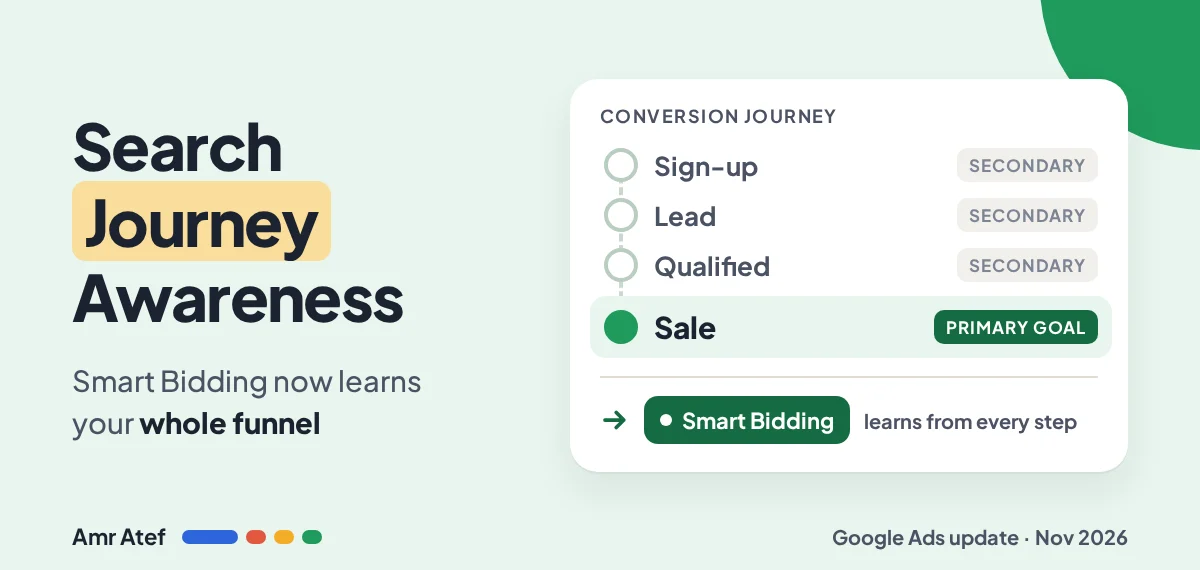
Your form fills look great. Cost per lead is down, the dashboard is green, and your sales team still says the leads are rubbish. Smart Bidding did exactly what you asked: it found more form fills. It just never saw what happened after the form.
On November 17, 2026, Google published a help page called Search Journey Awareness, and it’s built for exactly this gap. Smart Bidding now learns from the whole path, from the first sign-up to the final sale, even from conversion actions you aren’t bidding on. The catch: it can only learn from steps your account actually tracks and labels correctly.
Quick answer: It’s an improvement to Google Ads Smart Bidding that uses conversion actions you aren’t optimizing towards (like sign-ups or leads) to predict which clicks will turn into your final goal (like a sale). There’s no opt-in. It’s on automatically for eligible Search campaigns, but it only helps if your full funnel is tracked and each action sits in the right goal.
- Applies to Search campaigns (including AI Max) and Search inventory in Performance Max.
- Works with Target CPA, Target ROAS, Maximize Conversions and Maximize Conversion Value.
- Make the deepest goal primary and keep early steps secondary.
- The Default category isn’t supported, so move actions into a real goal.
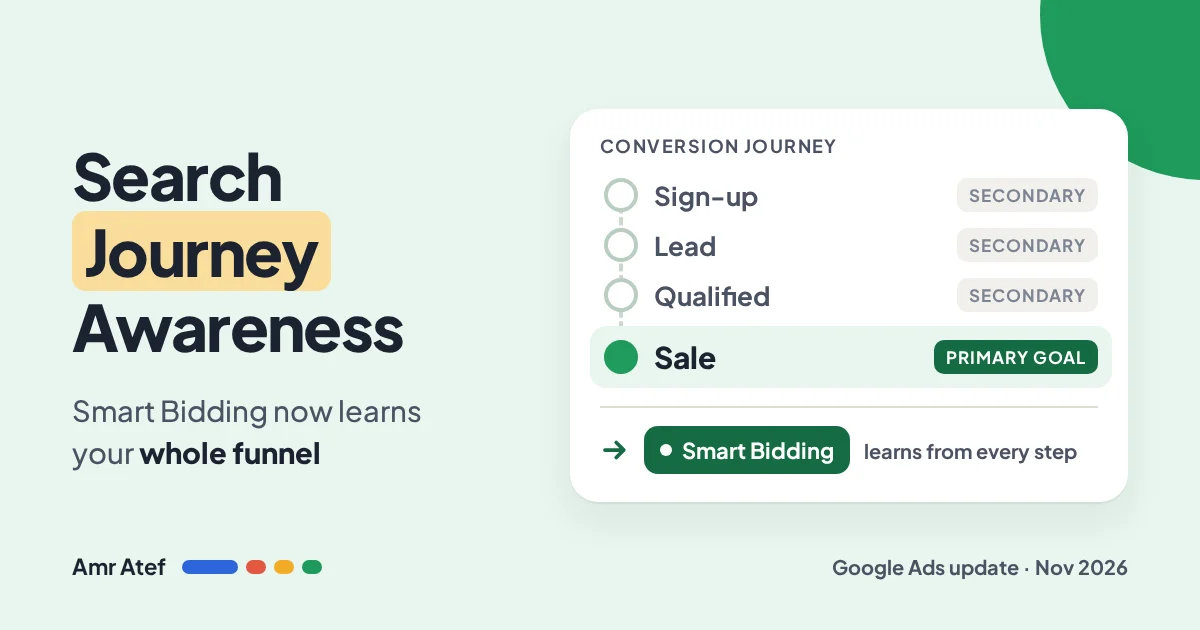
What Is Search Journey Awareness?
Smart Bidding sets a bid for every auction based on how likely that click is to convert. Until now, the main thing it learned from was the conversion actions you told it to optimize for. If your only primary action was “form submit”, that was its whole world.
Google’s official help page describes it as a “native improvement to Smart Bidding models that improves bidding predictions by utilizing conversion actions your account is not currently optimizing towards.” In plain words: the steps you track but don’t bid on now teach the algorithm too.
Google says Smart Bidding looks at patterns across early touchpoints (like sign-ups) and deep goals (like purchases) to predict conversion potential more precisely. It calls this especially useful for businesses with multi-touch, long-cycle journeys. That’s most lead generation: real estate, education, B2B, finance, anything where the sale happens days or weeks after the click.
The idea itself isn’t brand new. Google described journey-aware bidding in May 2026 as a beta for Search campaigns using Target CPA and Maximize Conversions. What’s new on November 17 is the official documentation, the wider list of bid strategies, and clear conditions for when it switches on.
Who Gets Search Journey Awareness?
There’s no button. Google says no action is needed to opt in, and it activates automatically when all three conditions are true:
| Condition | What Google requires | What it means for you |
|---|---|---|
| Campaign type | Search campaigns, including AI Max, and Performance Max (Search inventory) | Display, YouTube and Demand Gen aren’t covered. It’s Search only for now |
| Bid strategy | Target CPA, Target ROAS, Maximize Conversions or Maximize Conversion Value | Manual CPC and Maximize Clicks don’t get it |
| Conversion setup | The account sends conversion signals from the full user journey | This is the one you control, and the one most accounts fail |
Google’s FAQ is blunt about it: all Search campaigns using Smart Bidding are automatically journey-aware. So the question isn’t “is it on?” It’s “is my account giving it anything to learn from?” If you only track one action, there’s no journey to be aware of.
Primary vs Secondary Conversions: The Part Most Accounts Get Wrong
Two terms carry this whole feature:
- Primary conversion action: counted in the Conversions column and used for bidding. In other words, what Smart Bidding chases.
- Secondary conversion action: counted only in All conversions and not used as the bidding target. Before, that mostly meant “reporting only”. Now it’s also a learning signal.
Google’s best practice is clear: make the deepest goal primary, and keep early-funnel actions secondary. That way Smart Bidding learns from the sign-ups and leads without shifting your campaign’s focus away from the result you actually want.
The second trap is categories. Every conversion action belongs to a goal, such as Purchases or Submit lead forms. Google says the Default category isn’t supported here, because proper categories help Google understand where each step sits in your journey. If your actions were created years ago and never labelled, they may be sitting in Default and teaching the bidding nothing.
To fix it, open Goals, click the three-dot icon next to the action and choose Change to another goal.
Two Examples: Lead Gen and Ecommerce
Lead generation: a real estate company in Dubai
A hypothetical real estate company in Dubai runs “apartments for sale in Dubai” on Target CPA. Here’s how I’d map the journey:
| Step | How it’s tracked | Role |
|---|---|---|
| Brochure download or form submit | Google tag on the thank-you page | Secondary |
| Qualified lead (sales team confirms budget and intent) | Offline conversion import from the CRM | Secondary, or primary while deal volume is too low |
| Closed deal | Offline conversion import from the CRM | Primary (the deepest goal) |
The offline conversion import is what makes this work. Without it, Google only ever sees the form, and you’re back to cheap, useless leads. Google also recommends conversion delays under 7 days and sending conversions as soon as they’re available, so don’t upload your CRM data once a month. Upload it on a regular schedule.
One honest note: in property, a deal can take weeks. If closed deals are too slow or too few to bid on, the qualified lead is often the deepest goal you can realistically make primary. That’s my judgement, not Google’s wording. Google’s rule is simply “bid to your final goal”, so push as deep as your data allows.
Ecommerce: an online store
For a store on Target ROAS, the journey is shorter: newsletter sign-up, add to cart, begin checkout, purchase. Purchase with its value stays primary. The others stay tracked as secondary, so Smart Bidding can learn which searches start journeys that end in a sale. What you shouldn’t do is delete “add to cart” because it “clutters the report”. Google specifically says not to remove existing signals when you restructure.
7 Checks to Set Up Search Journey Awareness Properly
Here’s the audit I’d run on any account, built from Google’s best practices:
- Confirm eligibility. Search, AI Max or Performance Max campaign, on Target CPA, Target ROAS, Maximize Conversions or Maximize Conversion Value.
- Map the journey on paper first. Write every step from first action to final sale. Then compare it with what’s actually in Goals > Summary. The gaps are your to-do list.
- Track every shallow and deep action in Google Ads and/or SA360. If the sale happens in a CRM, set up an offline conversion import.
- Get rid of Default. Move every action into its correct goal with Change to another goal.
- Make the deepest goal primary. Keep its conversion delay under 7 days where you can, and send conversions as soon as they’re available.
- Keep early actions secondary. Sign-ups, add to cart and form starts teach the model without becoming the target.
- Don’t delete signals. When you restructure, keep existing conversion actions. And expect a short wobble if you change primary goals; Google says changing secondary actions shouldn’t affect active bidding.
If you’re not sure your tags are firing correctly in the first place, start with my guide to Google Ads conversion tracking. Smart Bidding can’t learn from a step that never gets recorded.
And watch your columns after the change. Adding secondary actions changes All conversions but not Conversions. That’s expected, not a bug. If you also run AI Max, check your AI Max URL exclusions too: better bidding won’t help if the click lands on the wrong page.
What Google doesn’t say: the help page gives no performance figures for this feature and no way to see it working in the interface. Judge it by your own downstream metrics, like cost per qualified lead or cost per closed deal, over a fair period.
More From This Google Ads Series
- Google Ads Conversion Tracking: Check It Before You Raise Your Budget
- AI Max URL Exclusions: How Google’s Token Matching Really Works
- Lost Impression Share in Google Ads: Is It Budget or Rank?
- Google Ads Search Terms Report: The First Check Every New Advertiser Should Make
- Google Ads Quality Score: Why Higher Bids Don’t Always Win
Frequently Asked Questions
What is Search Journey Awareness in Google Ads?
It is an improvement to Smart Bidding that uses conversion actions you are not optimizing towards, such as sign-ups or leads, to predict which clicks are likely to reach your final goal, such as a sale.
Do I need to turn on Search Journey Awareness?
No. There is no on or off switch. It activates automatically for Search campaigns, including AI Max and Performance Max, that use Target CPA, Target ROAS, Maximize Conversions or Maximize Conversion Value and send conversion signals from the full journey.
Should early funnel actions be primary or secondary conversions?
Secondary. Google recommends making the deepest conversion goal primary and keeping early actions secondary, so Smart Bidding learns from them without changing what the campaign optimizes for.
Will adding secondary conversions hurt performance?
Google says no. Smart Bidding ignores secondary signals it predicts are not useful, and minimum volume thresholds do not apply to secondary conversions used as signals.
Why does the conversion category matter?
The Default category is not supported. Each action needs to sit in the correct goal so Google can understand where it belongs in the journey. Use Change to another goal on the Goals page.
Does Search Journey Awareness work with SA360 and Floodlight?
Yes. Google says it is compatible with Auction Time Bidding in SA360 and with Floodlight conversions imported from SA360, as long as conversions are categorized correctly in standard goals.
Sources
- About Search Journey Awareness, Google Ads Help
- Journey-aware bidding, Accelerate with Google, May 13, 2026
- About offline conversion imports, Google Ads Help
- About conversion goals, Google Ads Help
- Google Ads Search Journey Awareness Help Document, Search Engine Roundtable, November 17, 2026
Which step of your funnel is Smart Bidding blind to right now: the qualified lead, the closed deal, or both? Tell me on LinkedIn, and subscribe on YouTube for more Google Ads breakdowns.
About the author: Amr Atef is a Dubai-based performance marketing specialist focused on Google Ads and marketing technology, and the builder of BenaAds. He writes a practical Google Ads series for new advertisers. Follow him on LinkedIn and YouTube, or read more about Amr.
