You excluded the careers section from your AI Max campaign, ticked it off your list and moved on. A week later, someone searching “apartments for sale in Dubai” lands on /careers_openings. The rule was there. It just never matched.
That scenario is hypothetical, but the mechanism behind it is now official. Google added a help page explaining how AI Max URL exclusions match your URLs, and the short version is: they match whole words, not pieces of words. If you wrote your exclusions assuming they work like a “contains” search in a spreadsheet, some of them are probably leaking.
Quick answer: AI Max URL exclusions stop specific pages from being used when Final URL expansion picks landing pages for you. “URL Contains” rules match whole tokens, not substrings, so excluding auto does not block /automation, and excluding FAQ does not block /faqs. Audit your rules against the real URL variants on your site.
- URL exclusions need both Text customization and Final URL expansion turned on.
- Hyphens, periods and slashes split a URL into tokens. Underscores don’t.
- Plurals and numbered variants are different tokens, so each one needs its own rule.
- Upgrading a DSA campaign makes its old page title and page content rules read-only.
What Are AI Max URL Exclusions?
AI Max for Search isn’t a separate campaign type. It’s a set of AI features you switch on inside a normal Search campaign. Two of them matter here:
| Feature | What it does | What it means for you |
|---|---|---|
| Final URL expansion | Sends clicks to other pages on your site when Google expects them to perform better for the search | Your ad may not land on the page you chose |
| Text customization | Writes ad copy from your ads, assets and landing page content, using generative AI | Your headlines can change to match the page Google picked |
| URL exclusions | Stop specific pages from serving when Final URL expansion is used | Your way of saying “never send paid traffic here” |
Google’s help page on URL exclusions in AI Max says you need both Text customization and Final URL expansion turned on to use URL exclusions. That makes sense: if AI Max isn’t choosing landing pages, there’s nothing to exclude.
There are three ways to exclude pages:
- Exact URLs: you list the precise page addresses.
- Page feed custom labels: if you upload your URLs in a page feed, you can tag pages with a label and exclude the label.
- “URL Contains” rules: you block any URL that contains a word you choose. This is the one that leaks.
How “URL Contains” Token Matching Works
Google doesn’t read your URL as one long string. It splits it into tokens, and your rule has to match a whole token. Here are the rules from the help page, with what each one means in practice:
| Rule | What Google says | The consequence |
|---|---|---|
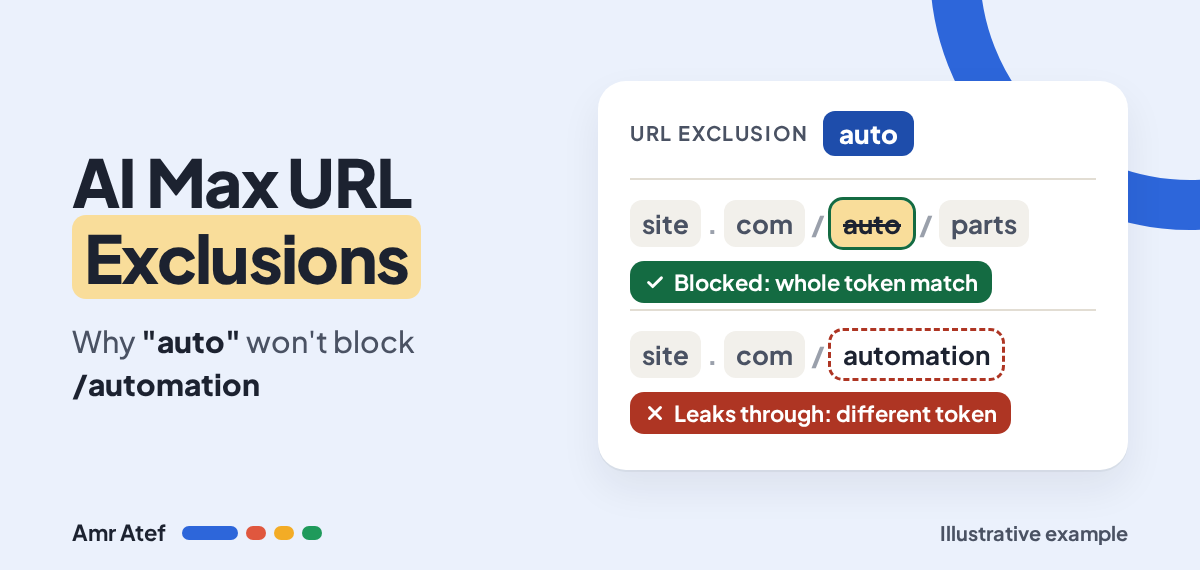
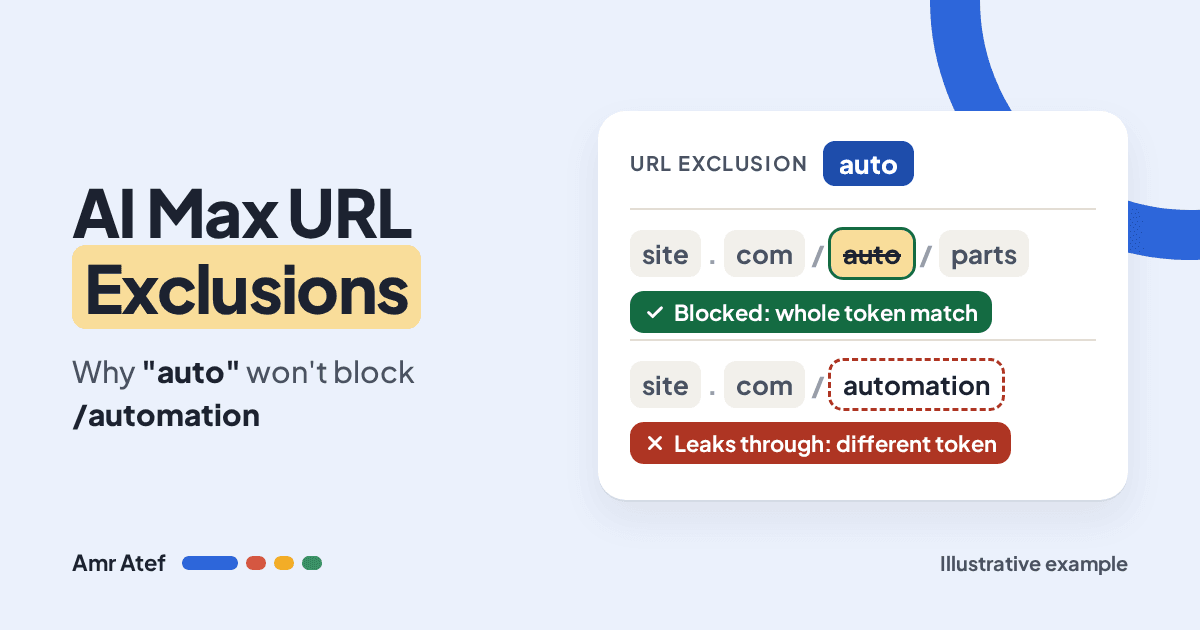
| Whole tokens only | Excluding auto won’t block a URL with automation | Partial words never match. You need a rule for automation itself |
| Separators | Hyphens, periods and slashes split tokens | /apartments-for-rent becomes apartments, for, rent |
| Underscores | Not separators. promo_page is one token | Excluding promo won’t touch /promo_page |
| Plurals and numbers | FAQ blocks /FAQ/page, not /faqs or /FAQ11 | Every plural and numbered variant needs its own rule |
| Spaces | Split your rule into criteria joined by AND, matched anywhere in the URL in any order | A rule with a space blocks less than you think. Google advises against spaces |
If you’ve read my article on Google Ads match types, this will feel familiar, just in reverse. Keywords got looser over the years. URL exclusions are strict: they do exactly what you typed, and nothing close to it.
Example: A Real Estate Site in Dubai
Let’s use a hypothetical real estate company in Dubai running AI Max on an “apartments for sale in Dubai” campaign. They don’t want sale searchers landing on rental pages, so they add one rule: URL Contains: rent. Here’s what happens to their URLs:
| URL on the site | Tokens | Blocked by rent? |
|---|---|---|
yoursite.com/rent/marina-apartment | rent, marina, apartment | Yes |
yoursite.com/apartments-for-rent | apartments, for, rent | Yes |
yoursite.com/rentals/jvc | rentals, jvc | No: rentals is a different token |
yoursite.com/rent_offers | rent_offers | No: the underscore keeps it as one token |
yoursite.com/rent2 | rent2 | No: numbered variants don’t match |
One rule, five URLs, three leaks. And nothing in the account tells you a rule “half worked”. It looks done.
Now say they try to be clever with rent marina. Because the space acts as AND, that rule only blocks URLs that contain both rent and marina as tokens. /marina/apartments-for-rent is blocked, but /rent/jvc isn’t. That’s a narrower rule, not a broader one, which is exactly why Google suggests avoiding spaces.
What the help page doesn’t say: it doesn’t cover whether matching is case sensitive, or how characters other than hyphens, periods, slashes and underscores are treated. Don’t assume. If your URLs mix cases or use other characters, add the exact variants you see on your site.
What Happens to DSA Rules When You Upgrade to AI Max?
If you’re coming from Dynamic Search Ads, this part matters before you click upgrade. According to Google, legacy DSA rules such as page title contains and page content contains become read-only after the campaign is upgraded to AI Max. You can delete them, but you can’t add new ones or edit the old ones.
So if one of those rules is badly written today, you lose the chance to fix it in place after the upgrade. Also notice that a page content rule looks at what’s on the page, while URL exclusions look at the address. There’s no one to one translation, so you have to work out which pages each old rule was catching and exclude those pages by URL or by label.
7 Checks to Stop Your AI Max URL Exclusions Leaking
Here’s how I’d audit an AI Max campaign that already has exclusions, or one that’s about to get them:
- Confirm the prerequisites. Check that Text customization and Final URL expansion are both on. Without them, URL exclusions don’t apply.
- List the real URL variants. For every word you exclude, search your sitemap or CMS for plurals (
faq,faqs), numbered pages (offer,offer2) and underscore slugs (rent_offers). - Write one rule per token.
rent,rentalsandrent_offersare three rules, not one. - Remove spaces from your rules. Replace
rent marinawith separate rules, unless you really mean “both words must appear”. - Prefer page feed labels for scale. If you have hundreds of pages to keep out, label them in your page feed and exclude the label. A label doesn’t care how the URL is spelled.
- Check the reports after the change. Open the Landing pages report and its Selected by column to see which pages AI Max chose, and look for “AI Max” as the match type in your search terms report. Any excluded page still getting clicks means a variant slipped through.
- Review DSA rules before you upgrade. Write down every page title and page content rule and what it was meant to stop. Fix or replace it while you still can.
And keep watching the ads themselves. With Text customization on, headlines follow the landing page, so a bad page choice can also mean an off-message ad. That’s a different problem from Ad Strength, which only grades your assets, not where the click lands. If leaked clicks are hitting pages that never convert, it also shows up in your bidding, which is why clean conversion tracking matters before you trust any of this at scale.
More From This Google Ads Series
- Google Ads Search Terms Report: The First Check Every New Advertiser Should Make
- Google Ads Match Types: Why Exact Match Isn’t Exact Anymore
- Search Term Mining in Google Ads: A Practical Best-Practice Guide
- Google Ads Ad Strength: Does It Matter? Why a Poor Ad Can Still Win
- Google Ads Conversion Tracking: Check It Before You Raise Your Budget
Frequently Asked Questions
What are AI Max URL exclusions?
They stop specific pages on your site from serving when Final URL expansion is used in an AI Max for Search campaign. You can exclude exact URLs, page feed custom labels, or URLs that contain a word you choose.
Why doesn’t excluding “auto” block “/automation”?
URL Contains rules match whole tokens, not partial substrings. “automation” is a different token from “auto”, so it needs its own rule.
Do underscores split tokens in AI Max URL exclusions?
No. Only hyphens, periods and slashes act as separators. A slug like promo_page is treated as one token, so excluding “promo” won’t block it.
What do spaces do in a URL Contains rule?
Spaces split the rule into separate criteria joined by AND, which can match anywhere in the URL in any order. Google advises against using spaces in these rules.
What do I need turned on to use URL exclusions?
Both Text customization and Final URL expansion must be turned on in the AI Max for Search campaign.
What happens to Dynamic Search Ads rules after upgrading to AI Max?
Legacy rules such as page title contains and page content contains become read-only. You can delete them, but you can’t add new ones or edit existing ones.
Sources
- About URL exclusions in AI Max for Search campaigns, Google Ads Help
- How AI Max for Search campaigns works, Google Ads Help
- Google Documents How URL Exclusions Work in AI Max, PPC News Feed, November 15, 2026
When did you last check which pages AI Max is actually sending your clicks to? Tell me on LinkedIn, and subscribe on YouTube for more Google Ads breakdowns.
About the author: Amr Atef is a Dubai-based performance marketing specialist focused on Google Ads and marketing technology, and the builder of BenaAds. He writes a practical Google Ads series for new advertisers. Follow him on LinkedIn and YouTube, or read more about Amr.
